Power Platform Flipped Learning Program - Customer Empowerment

4-month training program for Microsoft Power Platform with no prior knowledge required

What advantages does the IT security audit offer SMEs & mid-sized companies?

Flipped Learning

Self-directed learning + interactive live sessions

2× weekly

Two-hour sessions over 16 weeks

Real project - Migration from Axon.ivy to Powerplattform

Application of skills in a real business context

Program goals

Purple T-shirt on hanger icon

App development

Create canvas and model-driven apps without programming

Monitor display with upward growth arrow

Workflow automation

Optimize business processes with Power Automate

Graph with upward trend and lab flask icon

Data analysis

Create Power BI dashboards and reports

Purple human head with network connections icon

AI integration

Use AI Builder and Copilot functions

Secure lock icon with shield illustration

Secure provision

Mastering governance and environment management

Flowchart diagram on presentation board icon.

Project readiness

Become an independent Power Platform developer

Flipped learning methodology

Outline of person inside a book icon

Self-determined learning

Microsoft Learn modules and interactive exercises

Outline of person inside a book icon

Live sessions

Discussions, demos and practical workshops

Outline of person inside a book icon

Weekly tasks

Practical mini-projects for consolidation

Outline of person inside a book icon

Practical relevance

Scenarios from the customer's business context

Man interacts with virtual data on tablet screen.

Month 1: Power Platform Fundamentals

Self-determined learning

Microsoft Learn modules and interactive exercises

Purple number 2 on diagram box

Live sessions

Discussions, demos and practical workshops

Weekly tasks

Practical mini-projects for consolidation

Months 2-3: App Maker Deep Dive

01

Data models with Dataverse

Designing tables, relationships and schemas

02

Advanced Canvas Apps

Power Fx formulas and complex functions

03

Model-controlled apps

Multiple tables, forms and views

04

UX Best Practices

User-friendly and responsive design

05

Power Automate Advanced

Complex workflows and integrations

06

AI integration

AI Builder and Power Virtual Agents

Person using touchscreen tablet interface.

Focus: Developing PL-100 app maker skills

Modern data center with server racks and connections.

Month 4: Production readiness & governance

Insurance document under umbrella icon

Week 13: Security

Environments, DLP policies, authorizations

Purple icon featuring white star symbol

Week 14: ALM & DevOps

Solutions, pipelines, multi-environment setup

Mathematical derivative symbol in purple circle

Week 15: Integration

Solution patterns and connectors

White gift icon on purple background

Week 16: Capstone

Detailed solution design and presentation
Support plan

Control support Availability

Q&A via Teams with FAQ session once a week

Resource consulting

Documentation and community resources

Chart with medical and communication icons

Individual coaching

Personalized 1:1 sessions on demand

Troubleshooting

Live debugging and problem solving

Joint development

Pair programming for complex tasks

What does it cost you?

Expenses

01

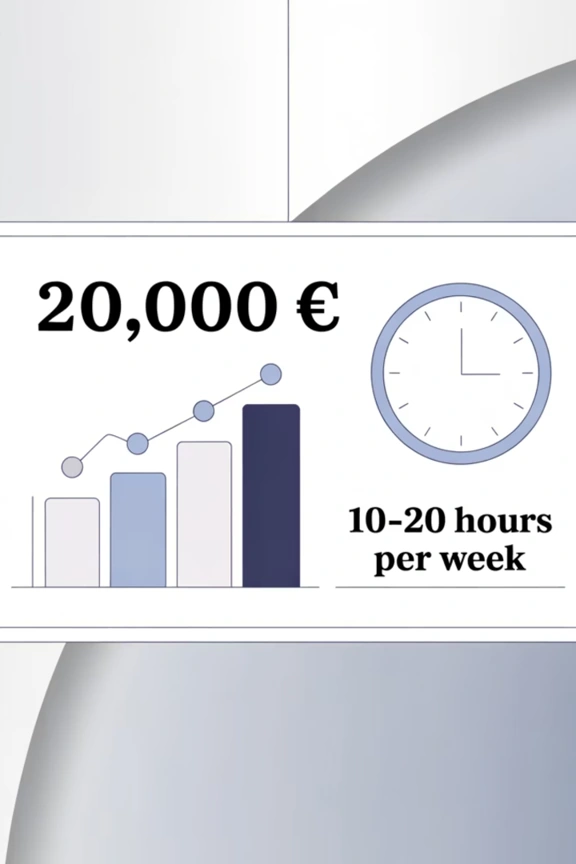
10,000 € for the training per person and the Q&A sessions at cost

02

10-20 hours time investment by training participants per week

Earnings graph and clock with weekly hours

Next steps

Cloud with checkmark icon

Examination & approval

Finalize scope and offer

Cloud with checkmark icon

Scheduling

Coordinate 16-week calendar and logistics

Cloud with checkmark icon

Set up environment

Prepare Power Platform test instances

Cloud with checkmark icon

Kickoff meeting

Team orientation and setting expectations

Cloud with checkmark icon

Identify project

Select a real business use case

Ready to get started? Let us turn your team into skilled Power Platform developers!

Scroll to Top